


WebTextEditor provides a method to insert image to the editor.
In this topic, you will learn how to insert image.
To insert image to WebTextEditor
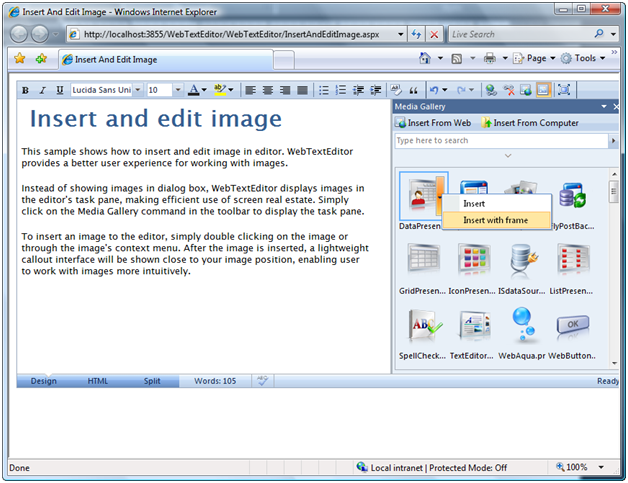
- Simply click on the Media Gallery command in the toolbar to display the task pane.
- To insert an image to WebTextEditor, simply double clicking on the image or through the image's context menu. You can insert image along with its frame using image's context menu.
After the image is inserted, a lightweight callout interface will be shown close to your image position, enabling user to work with images more intuitively.
 See Also
Other Resources
Insert Image